
Provide
Open the source information and destination form in Chrome.
 Invisible HandBrowser work, done.
WEB FORM AUTOMATION
Give the agent the source information, watch it prepare the browser workflow, and approve the exact action before sensitive information is entered or submitted.
HOW IT WORKS
Form automation should remove repetitive typing without hiding what will happen next. Invisible Hand binds each approval to the exact command and destination.
Open the source information and destination form in Chrome.
Ask the agent to match the fields and enter supported information.
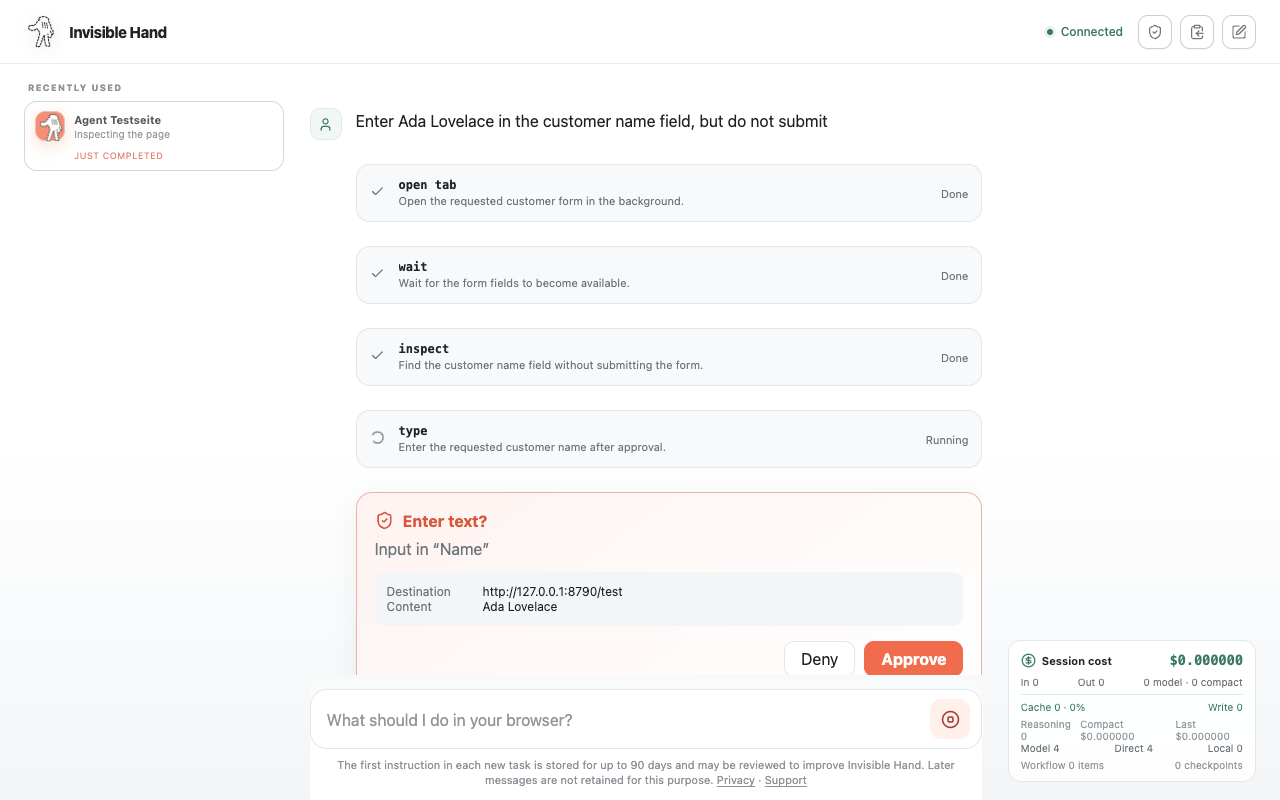
Review the destination and text preview before the action continues.
HUMAN-IN-THE-LOOP
The approval card identifies the action, destination, and content preview. You can approve or deny it without losing sight of the workflow.
CONTROL AND LIMITS
Automation stops at fields and actions where direct human control matters most, even when other approval preferences have been relaxed.
FREQUENTLY ASKED QUESTIONS
Yes. Submit and Enter actions require approval by default, and critical actions continue to require explicit confirmation.
Yes. The approval card lets you deny the exact proposed action before it is executed.
No. Password, one-time-code, payment-card, and CAPTCHA fields require manual takeover or remain blocked.
START WITH ONE TASK
Install Invisible Hand, open the controller, and describe the browser work you want completed.
Add Invisible Hand to Chrome