
Understand
The agent turns your requested outcome into browser steps.
 Invisible HandBrowser work, done.
AI BROWSER AGENT
Invisible Hand does more than suggest the next click. It can inspect pages, act across tabs, and return work products while you see what it is doing.
HOW IT WORKS
The AI chooses the next step. The Chrome extension performs a narrowly defined browser action and reports the result, keeping execution reviewable from start to finish.
The agent turns your requested outcome into browser steps.
The extension carries out one inspected, validated action at a time.
Results, approvals, downloads, and errors return to the conversation.
VISIBLE BY DESIGN
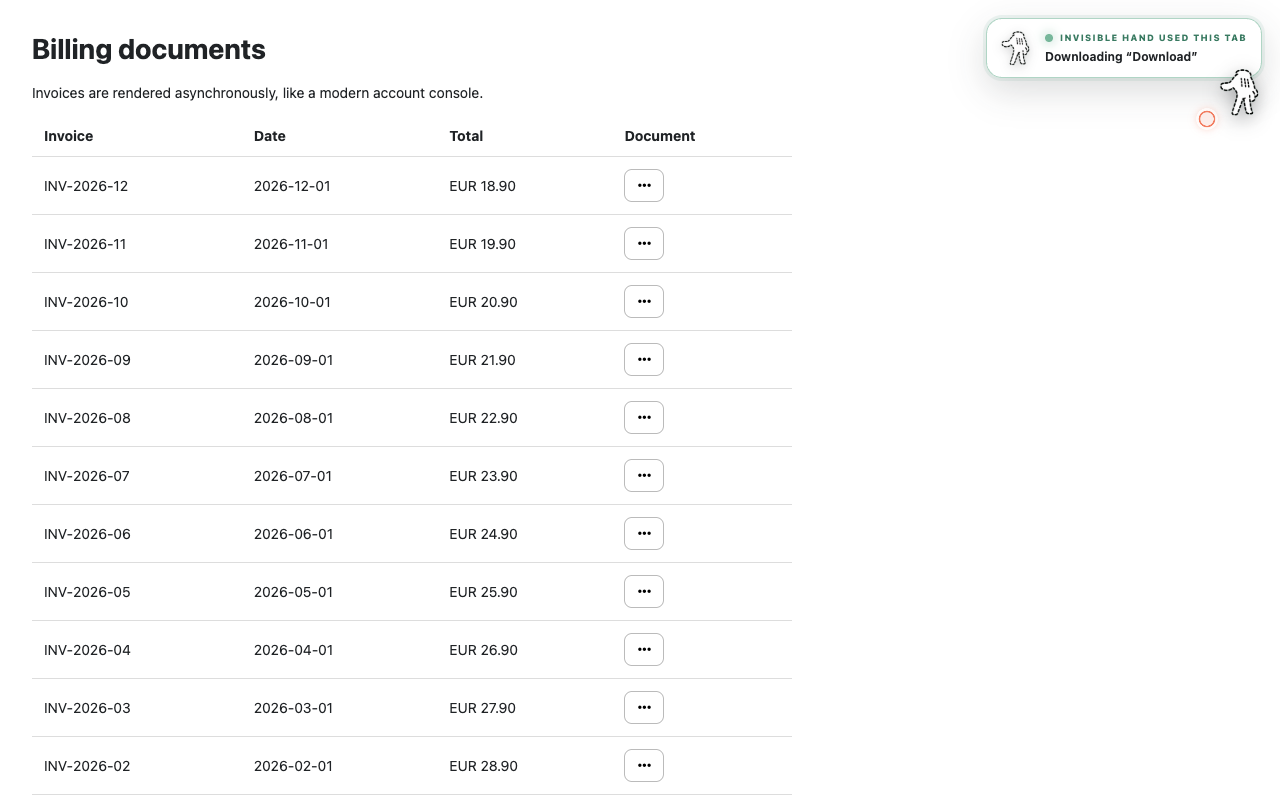
A page overlay, activity rail, and current-action state make browser work observable instead of hiding it in a remote session.
CONTROL AND LIMITS
Invisible Hand is built around bounded browser actions and explicit user control. It reports uncertainty instead of claiming every page or task will work.
FREQUENTLY ASKED QUESTIONS
A chatbot can explain what to do. A browser agent can also carry out supported actions in the browser and return the resulting files or structured data.
No. Invisible Hand works through the Chrome session where its extension is installed, so active work remains visible to you.
It can pause, report the mismatch, or ask for approval rather than inventing a risky fallback.
START WITH ONE TASK
Install Invisible Hand, open the controller, and describe the browser work you want completed.
Add Invisible Hand to Chrome